YouTube Studio App Redesign
Overview
The Process
Wireframe Process
Surface Comps & High Fidelity Prototype
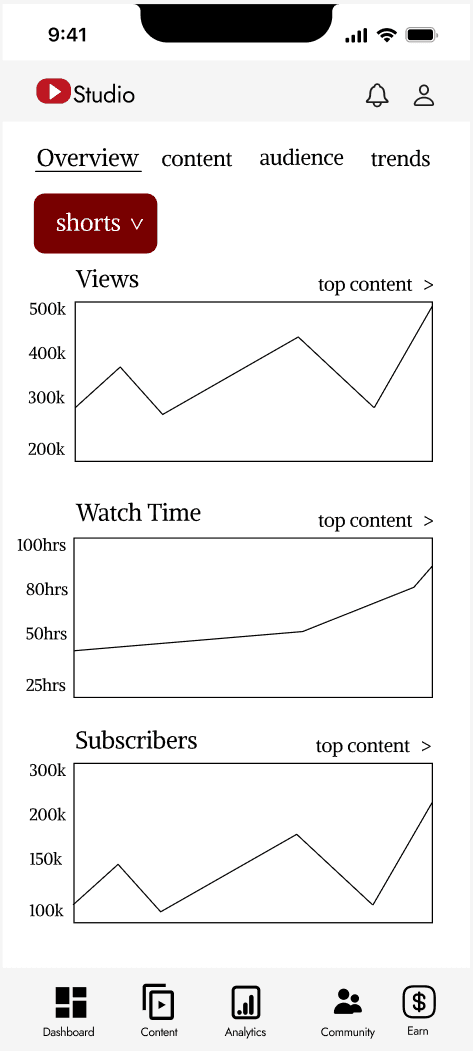
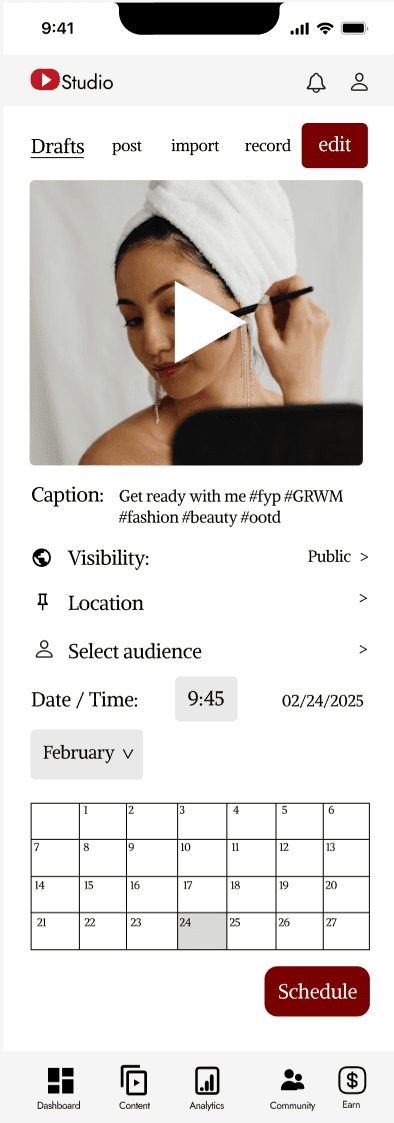
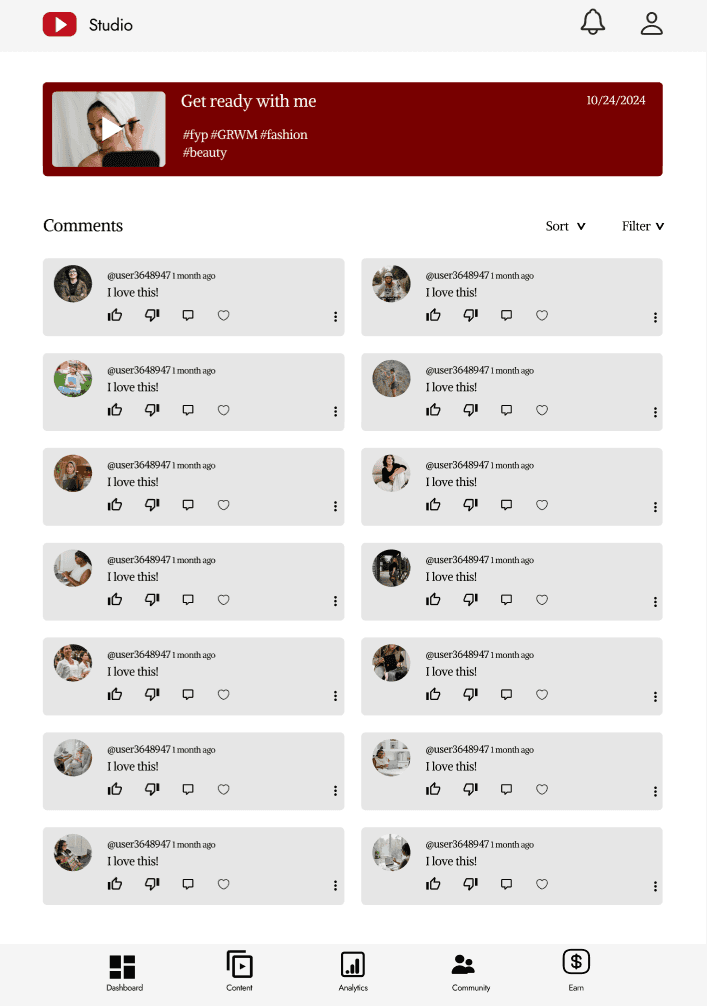
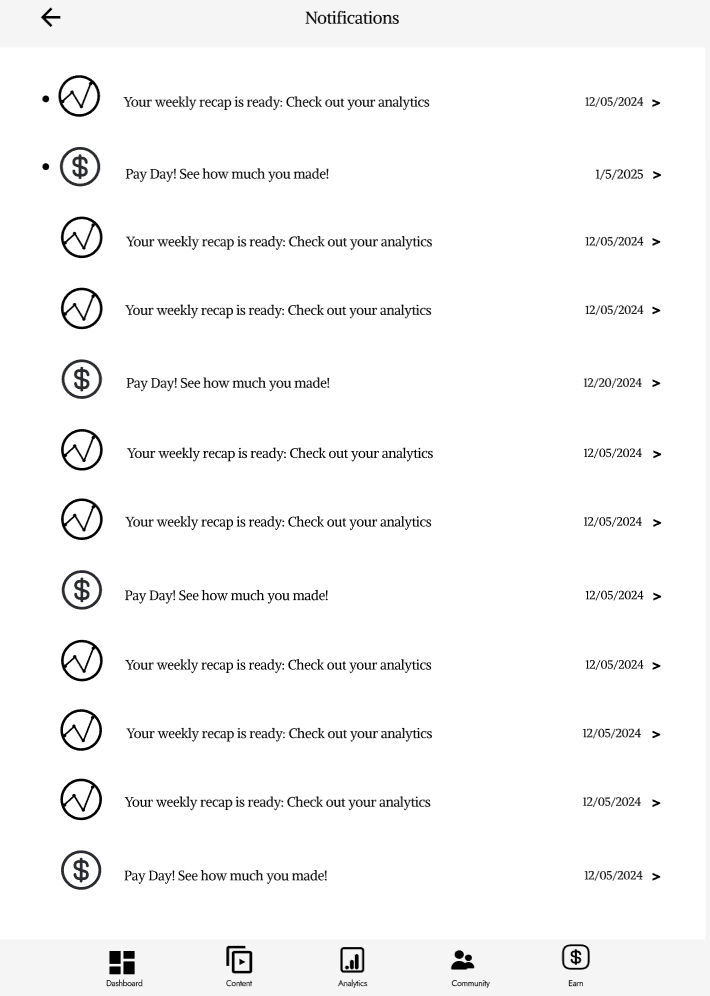
Phone Surface Comps
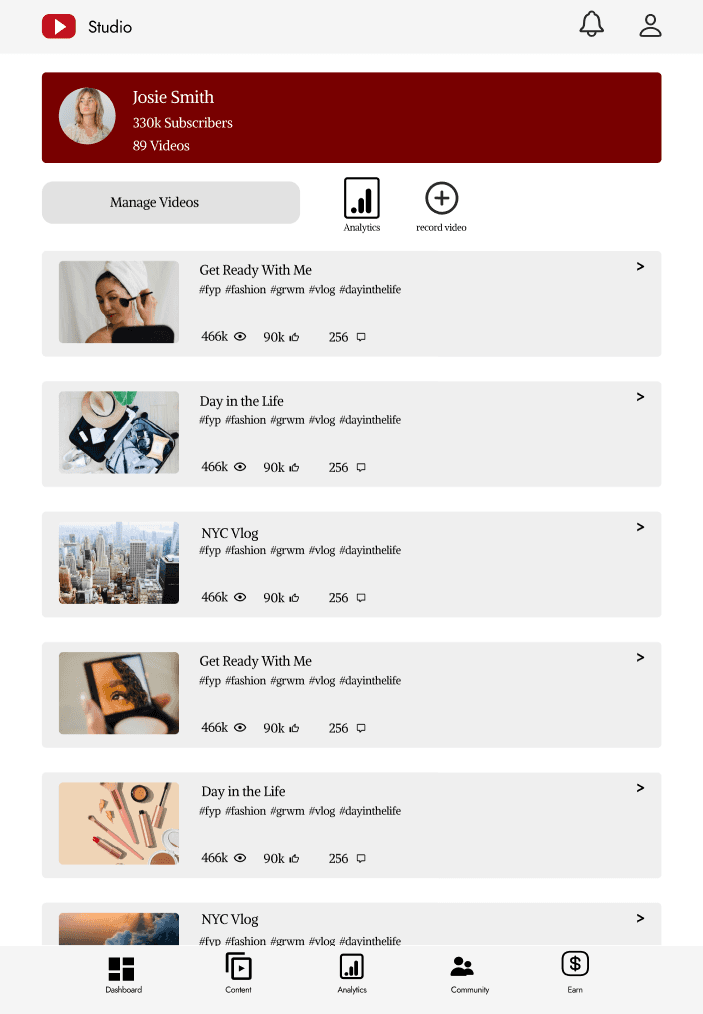
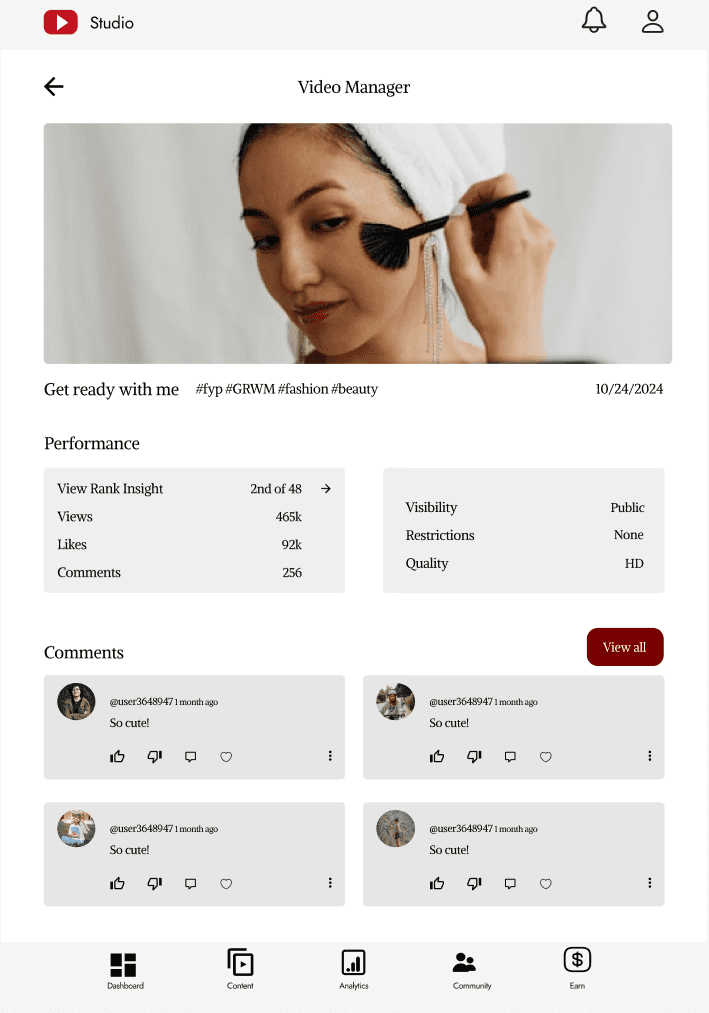
Tablet Surface Comps
Conclusion
Skills Gained
For one of my classes, I was tasked to redesign a mobile app of my choice, and create a mock app of what those improvements would look like if implemented. The app of my choice was YouTube Studio. Youtube Studio is an app for creators and influencers who post content on Youtube. The reason I chose this app was because I had past experience uploading content to YouTube through this mobile app. I had friends who similarly used the app on a regular basis to upload content as well, but they also struggled to locate certain features to make the app more user-friendly. I got started on the project and my goal was to create a visually engaging, user-center design that was both intuitive and functional for all users.
To start off the project, I had to pinpoint the exact area of struggle for the users, so I started to do some user testing. This was a simple test, which was a compilation of three different people completing tasks on the app. Some of these tasks included, locating the “schedule a video” to post ahead of time, locating certain analytical features, and accessing notifications for the monetization program. These tasks seemed small, but I left with my research and knew the exact problems the user faced.
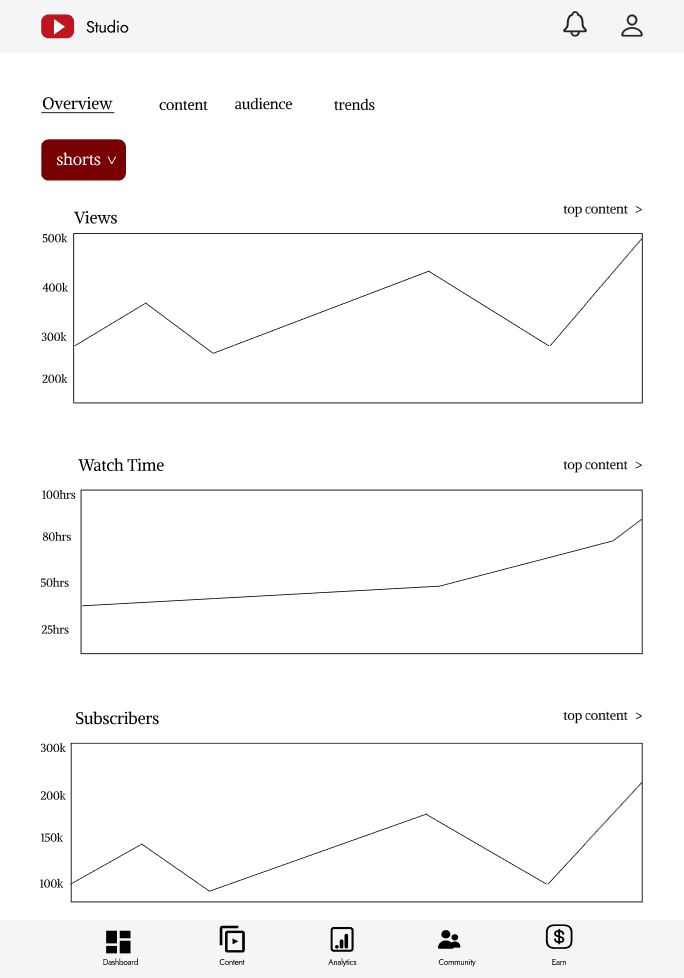
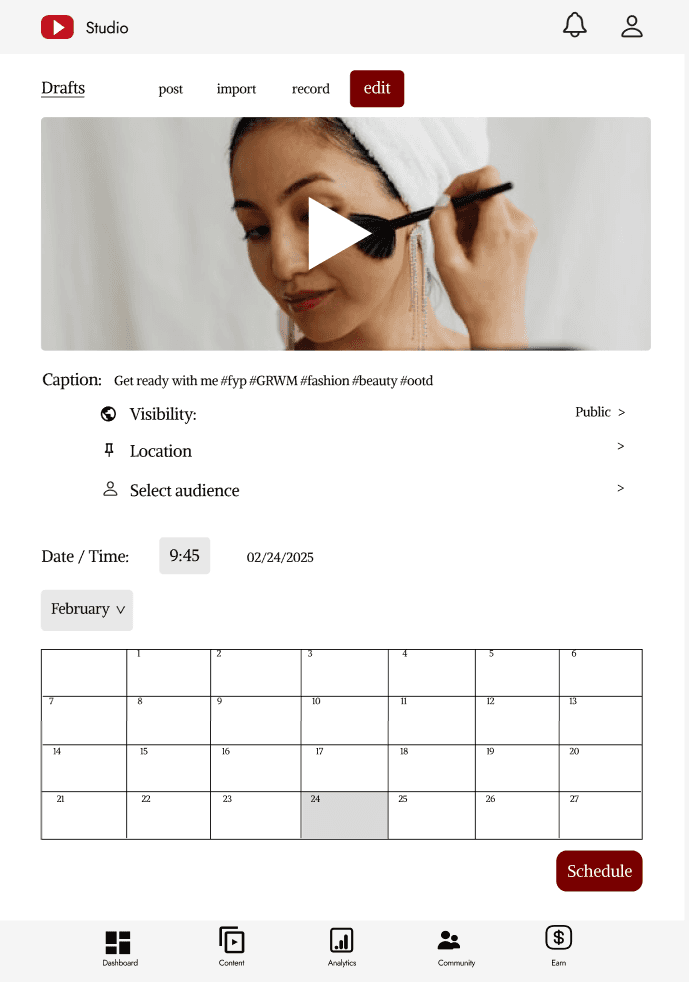
The main problem I saw, after completing a few user testing exercises, was the scheduling system. Users were lost with how to navigate to schedule a post ahead of time, to have that post, post in the future without them pressing any further button. The next pain point was, the app was just too confusing for first time users, especially the analytical section. Once I found these pain points I got straight to work.
I created a goal, and my goal was to create a new and improved app that simplified analytics, made scheduling content easier, as well as editing tools more accessible. I decided that redesigning the app would allow for new content creators to post and view their analytics with more ease.
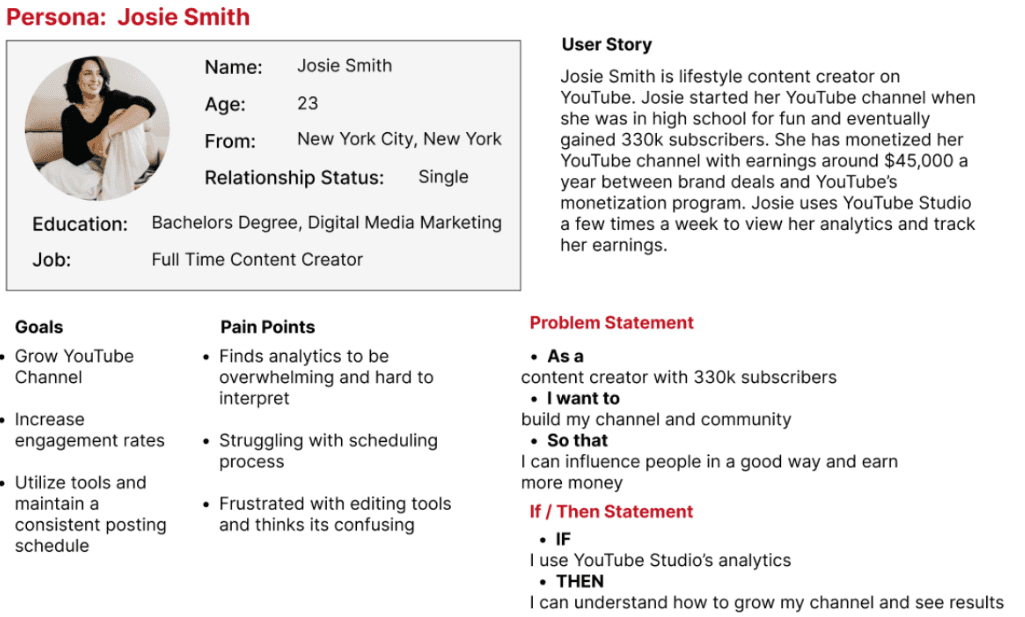
I then made a user persona. I needed to know who I was designing for and what would make their life easier when using the app. My user persona became Josie Smith.
Redesigning the YouTube Studio App pushed me to think in new ways while challenging myself to fully understand where the user was coming from to make something more intuitive and user friendly. I was able to apply the full design process from user research to wireframing, surface comps, and prototyping. In the beginning, I was able to identify three major pain points that the users struggled with: editing videos within the YouTube Studio App, scheduling content, and understanding the analytics section. Through brainstorming and sketching out ideas, I was able to create something that I feel like is very intuitive for the user and allows for smooth navigation.
In the end, this experience taught me the importance of understanding the users needs and creating a functional solution to their problems. I was able to grow as a designer while this project pushed me to think critically, and allowed me to stay intentional with every design choice I made. Through user feedback and iteration, I learned how important it is to implement the small changes and how they can significantly improve the overall design. Finally, this project helped push me to solve real-world problems and allowed me to create meaningful solutions.
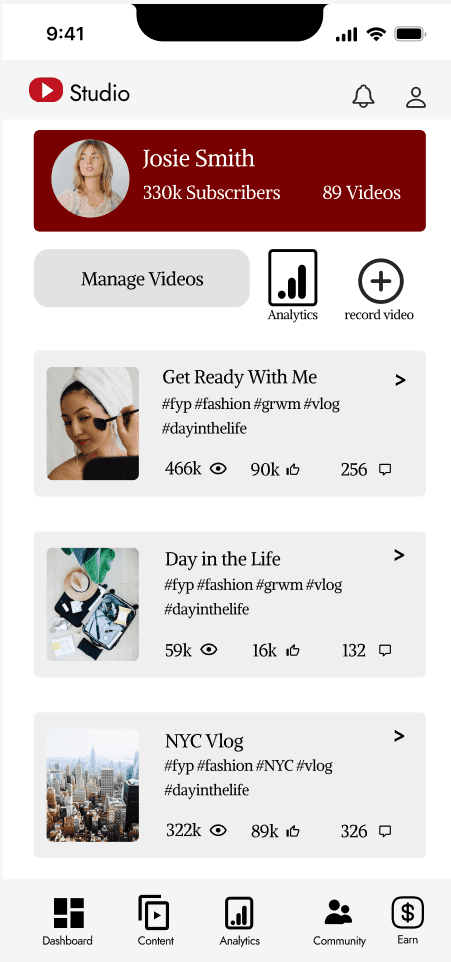
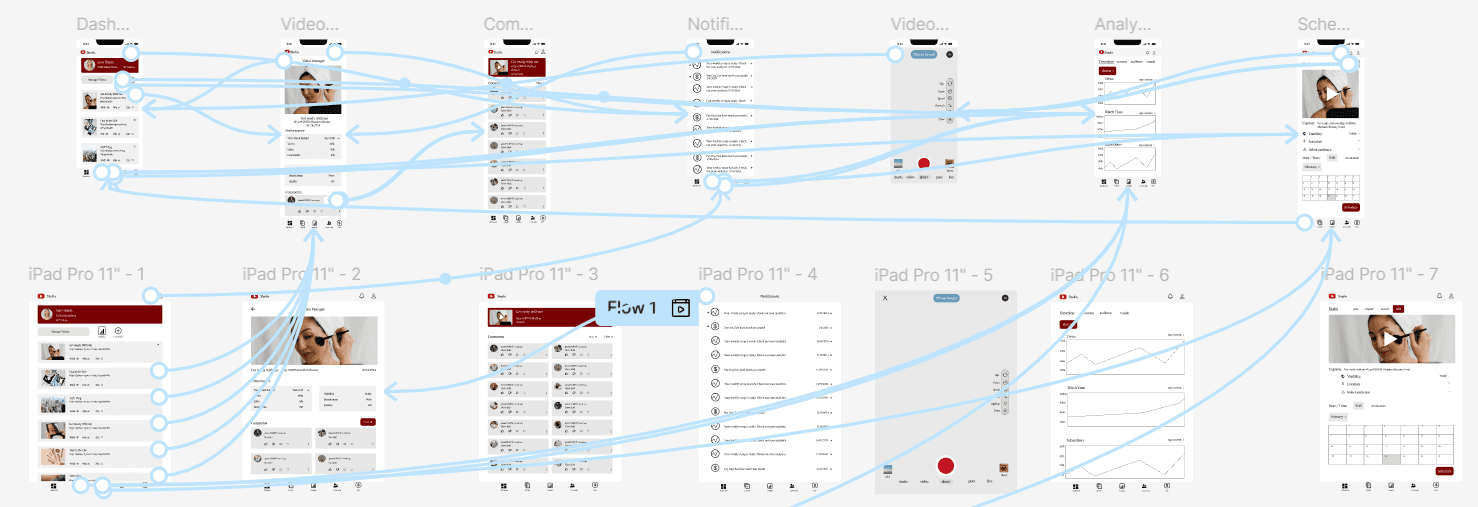
After I created the high-fidelity mockups, I then created a working prototype of the app on Figma. This allowed me to go from screen to screen, clicking on buttons smoothly. Here is the process of creating that prototype:
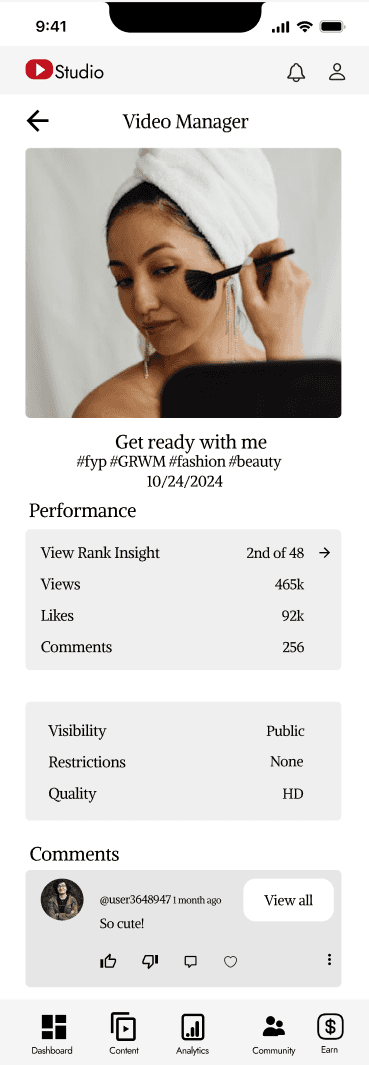
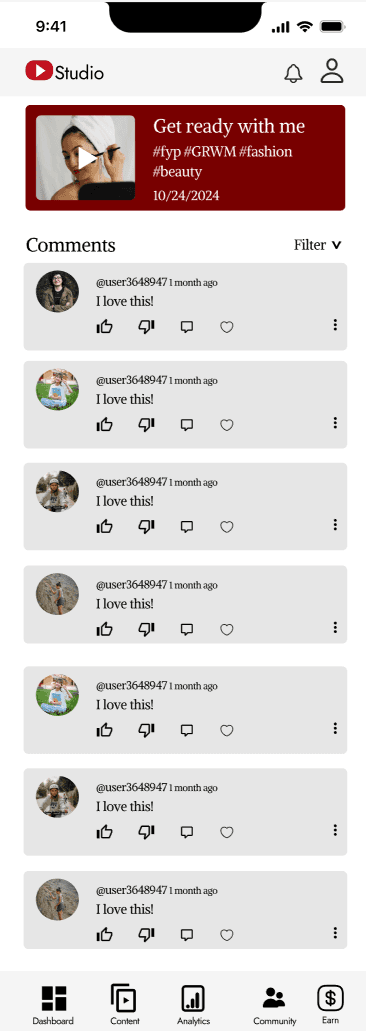
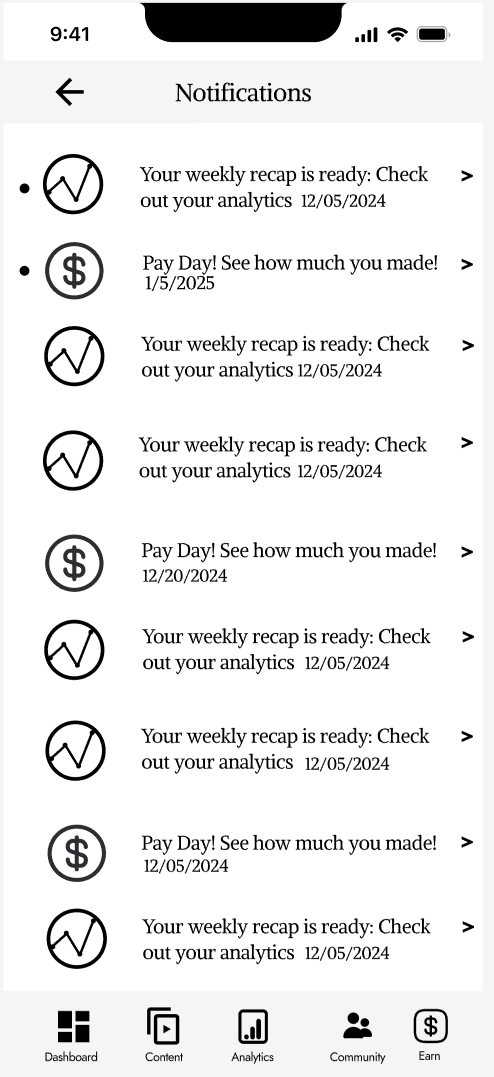
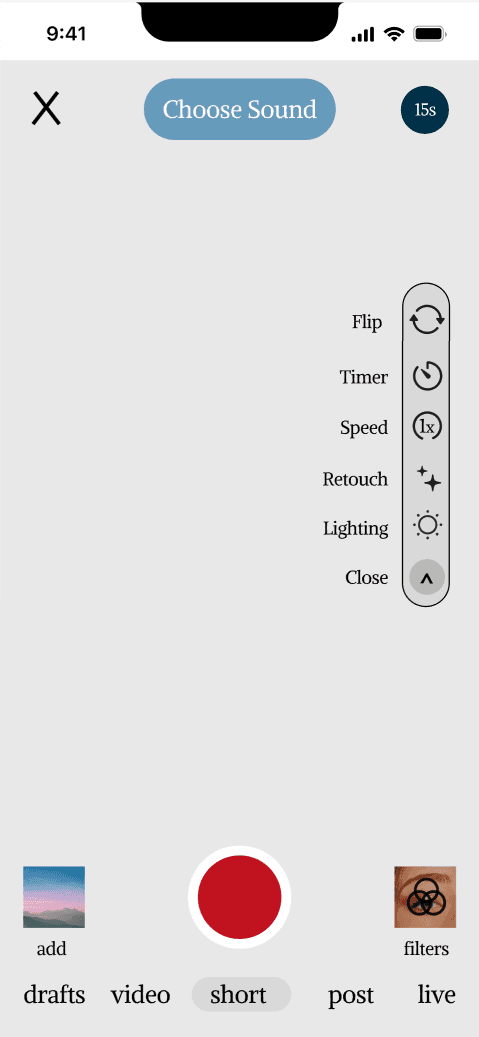
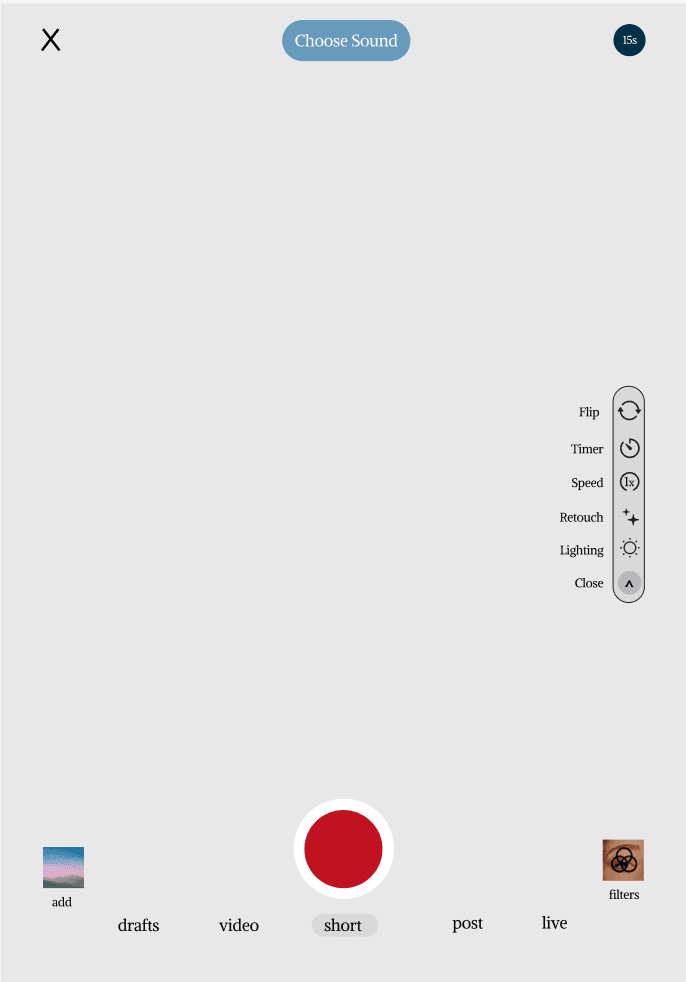
After finishing the low-fidelity mockups, I then created my surface comps. These surface comps were responsive for both a phone and tablet. Here are the results of each.
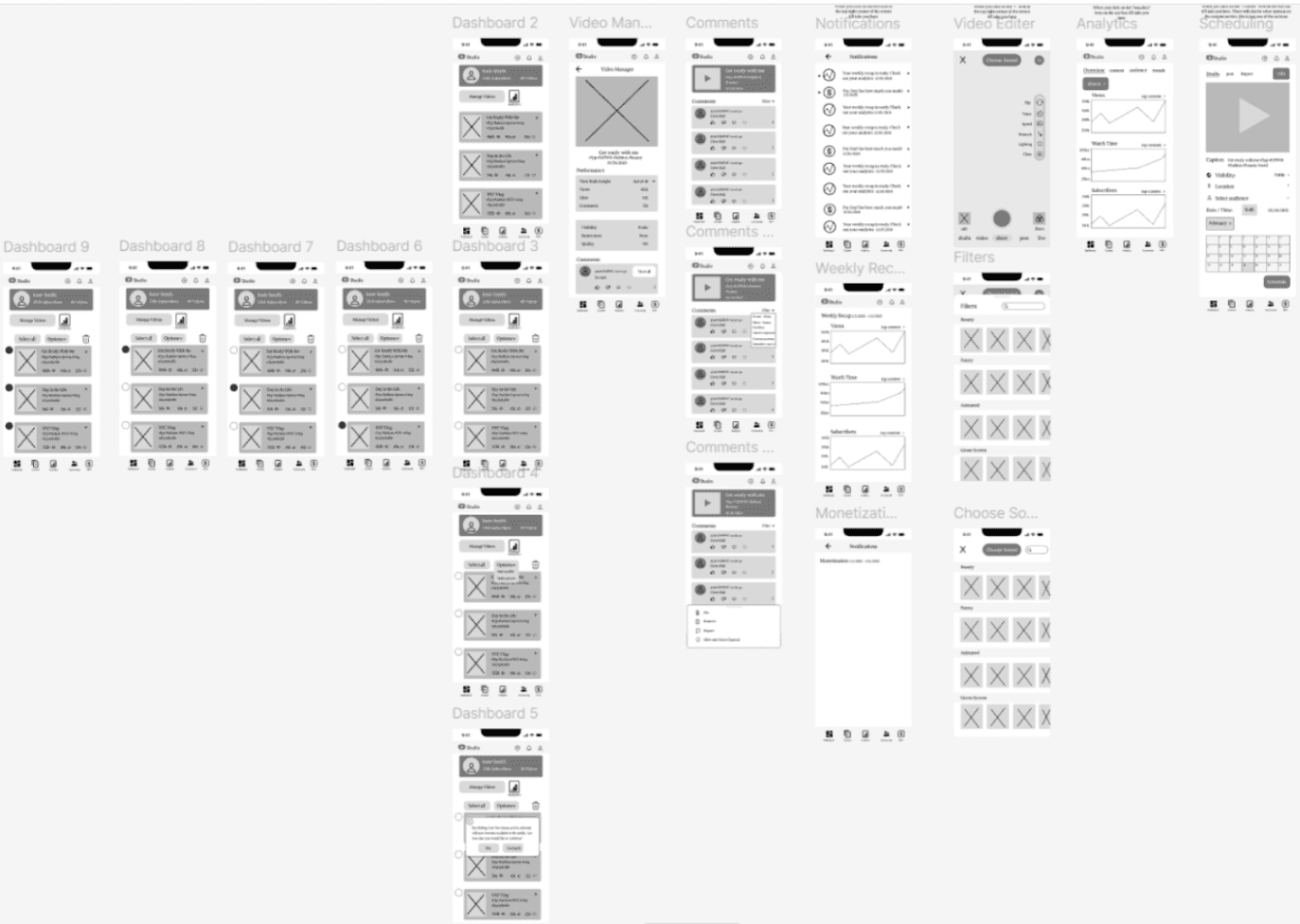
After creating my user persona, and conducting my user studies, I then made my wireframes. These wireframes were a rough layout of what the new app would look like. Something to note is, not all of the wireframes are completely different from the YouTube Studio App. Some things I felt I did not need to change based off of my user testing and I found what the user liked, and what they didn’t. Below are the wireframes.
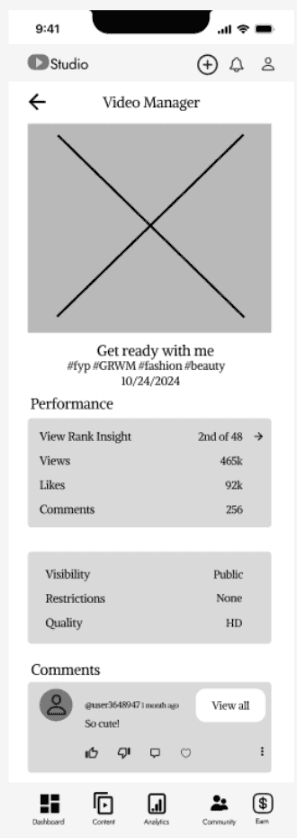
After I completed these, I went through a second round of testing (with three users again), to see if there was anything that needed to be fixed to make it more user friendly. I found the one area that needed to be fixed was the top right corner. This corner consisted of three icons to direct the user to see their notifications, post a video, and see their profile. The one thing I had to change was to move the post a video icon into the content section on the bottom nav bar. Below you can see the changes I made.
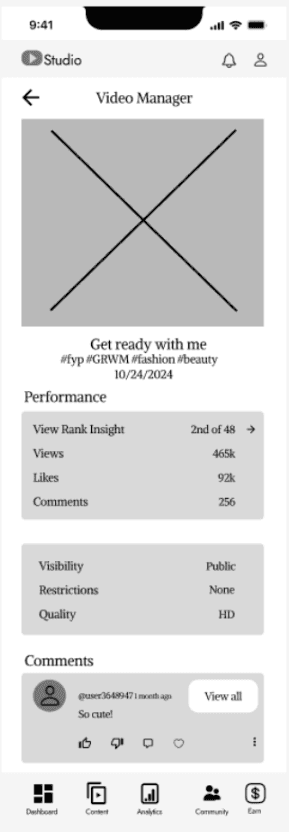
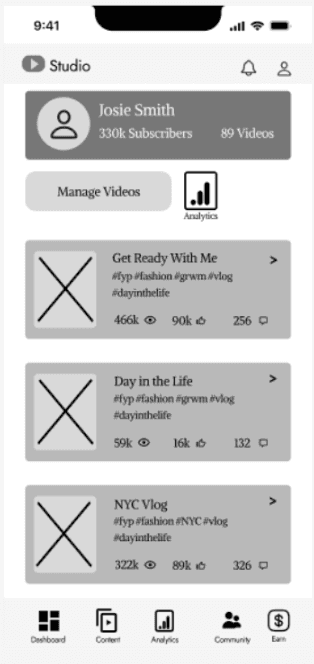
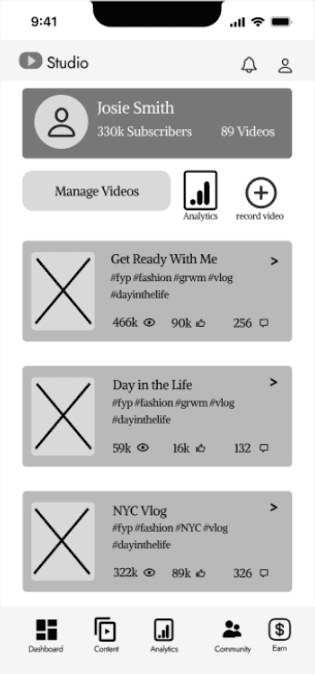
Before
Before
After (without add icon)
After (with add icon)
Figma
wireframing
phone + tablet responsivity
prototyping
app creation
user testing
usability testing

YouTube Studio App Redesign
Overview
The Process
Wireframe Process
Surface Comps & High Fidelity Prototype
Phone Surface Comps
Tablet Surface Comps
Conclusion
Skills Gained
For one of my classes, I was tasked to redesign a mobile app of my choice, and create a mock app of what those improvements would look like if implemented. The app of my choice was YouTube Studio. Youtube Studio is an app for creators and influencers who post content on Youtube. The reason I chose this app was because I had past experience uploading content to YouTube through this mobile app. I had friends who similarly used the app on a regular basis to upload content as well, but they also struggled to locate certain features to make the app more user-friendly. I got started on the project and my goal was to create a visually engaging, user-center design that was both intuitive and functional for all users.
To start off the project, I had to pinpoint the exact area of struggle for the users, so I started to do some user testing. This was a simple test, which was a compilation of three different people completing tasks on the app. Some of these tasks included, locating the “schedule a video” to post ahead of time, locating certain analytical features, and accessing notifications for the monetization program. These tasks seemed small, but I left with my research and knew the exact problems the user faced.
The main problem I saw, after completing a few user testing exercises, was the scheduling system. Users were lost with how to navigate to schedule a post ahead of time, to have that post, post in the future without them pressing any further button. The next pain point was, the app was just too confusing for first time users, especially the analytical section. Once I found these pain points I got straight to work.
I created a goal, and my goal was to create a new and improved app that simplified analytics, made scheduling content easier, as well as editing tools more accessible. I decided that redesigning the app would allow for new content creators to post and view their analytics with more ease.
I then made a user persona. I needed to know who I was designing for and what would make their life easier when using the app. My user persona became Josie Smith.
Redesigning the YouTube Studio App pushed me to think in new ways while challenging myself to fully understand where the user was coming from to make something more intuitive and user friendly. I was able to apply the full design process from user research to wireframing, surface comps, and prototyping. In the beginning, I was able to identify three major pain points that the users struggled with: editing videos within the YouTube Studio App, scheduling content, and understanding the analytics section. Through brainstorming and sketching out ideas, I was able to create something that I feel like is very intuitive for the user and allows for smooth navigation.
In the end, this experience taught me the importance of understanding the users needs and creating a functional solution to their problems. I was able to grow as a designer while this project pushed me to think critically, and allowed me to stay intentional with every design choice I made. Through user feedback and iteration, I learned how important it is to implement the small changes and how they can significantly improve the overall design. Finally, this project helped push me to solve real-world problems and allowed me to create meaningful solutions.
After finishing the low-fidelity mockups, I then created my surface comps. These surface comps were responsive for both a phone and tablet. Here are the results of each.
After creating my user persona, and conducting my user studies, I then made my wireframes. These wireframes were a rough layout of what the new app would look like. Something to note is, not all of the wireframes are completely different from the YouTube Studio App. Some things I felt I did not need to change based off of my user testing and I found what the user liked, and what they didn’t. Below are the wireframes.
After I completed these, I went through a second round of testing (with three users again), to see if there was anything that needed to be fixed to make it more user friendly. I found the one area that needed to be fixed was the top right corner. This corner consisted of three icons to direct the user to see their notifications, post a video, and see their profile. The one thing I had to change was to move the post a video icon into the content section on the bottom nav bar. Below you can see the changes I made.
Before
Before
After (without add icon)
After (with add icon)
Figma
wireframing
phone + tablet responsivity
prototyping
app creation
user testing
usability testing
YouTube Studio App Redesign
Overview
The Process
Wireframe Process
Surface Comps & High Fidelity Prototype
Phone Surface Comps
Tablet Surface Comps
Conclusion
Skills Gained
For one of my classes, I was tasked to redesign a mobile app of my choice, and create a mock app of what those improvements would look like if implemented. The app of my choice was YouTube Studio. Youtube Studio is an app for creators and influencers who post content on Youtube. The reason I chose this app was because I had past experience uploading content to YouTube through this mobile app. I had friends who similarly used the app on a regular basis to upload content as well, but they also struggled to locate certain features to make the app more user-friendly. I got started on the project and my goal was to create a visually engaging, user-center design that was both intuitive and functional for all users.
To start off the project, I had to pinpoint the exact area of struggle for the users, so I started to do some user testing. This was a simple test, which was a compilation of three different people completing tasks on the app. Some of these tasks included, locating the “schedule a video” to post ahead of time, locating certain analytical features, and accessing notifications for the monetization program. These tasks seemed small, but I left with my research and knew the exact problems the user faced.
The main problem I saw, after completing a few user testing exercises, was the scheduling system. Users were lost with how to navigate to schedule a post ahead of time, to have that post, post in the future without them pressing any further button. The next pain point was, the app was just too confusing for first time users, especially the analytical section. Once I found these pain points I got straight to work.
I created a goal, and my goal was to create a new and improved app that simplified analytics, made scheduling content easier, as well as editing tools more accessible. I decided that redesigning the app would allow for new content creators to post and view their analytics with more ease.
I then made a user persona. I needed to know who I was designing for and what would make their life easier when using the app. My user persona became Josie Smith.
Redesigning the YouTube Studio App pushed me to think in new ways while challenging myself to fully understand where the user was coming from to make something more intuitive and user friendly. I was able to apply the full design process from user research to wireframing, surface comps, and prototyping. In the beginning, I was able to identify three major pain points that the users struggled with: editing videos within the YouTube Studio App, scheduling content, and understanding the analytics section. Through brainstorming and sketching out ideas, I was able to create something that I feel like is very intuitive for the user and allows for smooth navigation.
In the end, this experience taught me the importance of understanding the users needs and creating a functional solution to their problems. I was able to grow as a designer while this project pushed me to think critically, and allowed me to stay intentional with every design choice I made. Through user feedback and iteration, I learned how important it is to implement the small changes and how they can significantly improve the overall design. Finally, this project helped push me to solve real-world problems and allowed me to create meaningful solutions.
After finishing the low-fidelity mockups, I then created my surface comps. These surface comps were responsive for both a phone and tablet. Here are the results of each.
After creating my user persona, and conducting my user studies, I then made my wireframes. These wireframes were a rough layout of what the new app would look like. Something to note is, not all of the wireframes are completely different from the YouTube Studio App. Some things I felt I did not need to change based off of my user testing and I found what the user liked, and what they didn’t. Below are the wireframes.
After I completed these, I went through a second round of testing (with three users again), to see if there was anything that needed to be fixed to make it more user friendly. I found the one area that needed to be fixed was the top right corner. This corner consisted of three icons to direct the user to see their notifications, post a video, and see their profile. The one thing I had to change was to move the post a video icon into the content section on the bottom nav bar. Below you can see the changes I made.
Before
Before
After (without add icon)
After (with add icon)
Figma
wireframing
phone + tablet responsivity
prototyping
app creation
user testing
usability testing
After I created the high-fidelity mockups, I then created a working prototype of the app on Figma. This allowed me to go from screen to screen, clicking on buttons smoothly. Here is the process of creating that prototype: